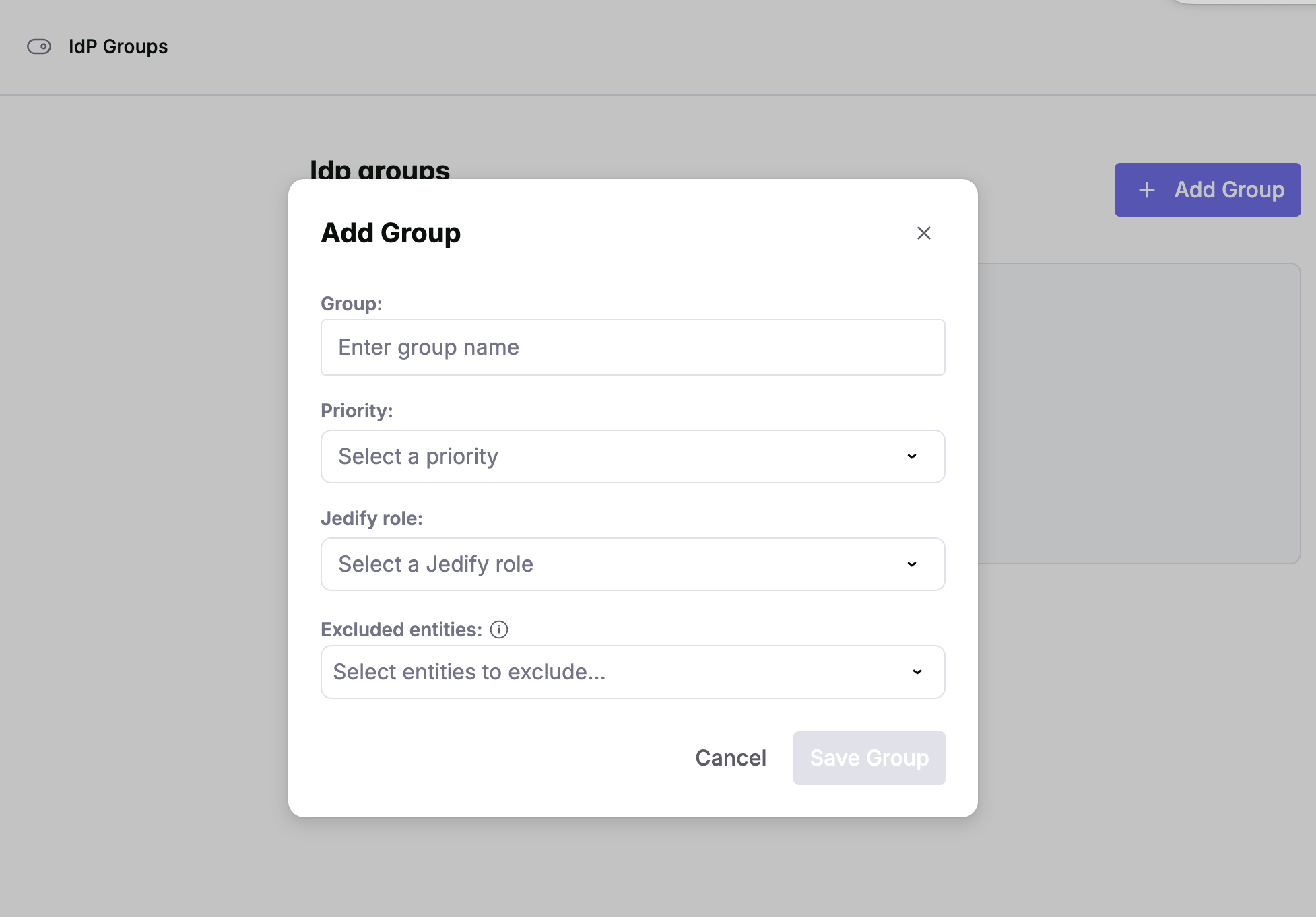
This page allows administrators to map Identity Provider (IdP) groups to specific roles within Jedify. This allows to define customized permissions across different groups and restricting the semantic entities that are visible and usable for each group.Documentation Index
Fetch the complete documentation index at: https://docs.jedify.com/llms.txt
Use this file to discover all available pages before exploring further.
Overview
The IdP Groups section is located under the Settings sidebar menu. Use this interface to create, manage, and prioritize how external group memberships translate into internal system access.Adding a New Group Mapping
To create a new mapping, click the + Add Group button in the top right corner. A modal will appear with the following fields:| Field | Description |
|---|---|
| Group | Enter the exact name of the group as it appears in your Identity Provider (e.g., Engineering-Team or Admins). |
| Priority | Select a priority level. If a user belongs to multiple IdP groups, the mapping with the highest priority will determine their final role. |
| Jedify Role | Choose the internal role you wish to assign to members of this group. |
| Excluded Entities | Select specific entities that should be exempt from this group’s permissions. |